RadarrEnabled
Radarr
Imports to /movies.
- Put.io
- putiorr
- Download
- /downloads
- RPC
- /radarr/transmission/rpc
 putiorr
A stable put.io bridge for the *arr family.
putiorr presents a Transmission-compatible RPC endpoint to Sonarr, Radarr, Lidarr, Readarr, Prowlarr, and similar apps, then copies completed put.io files into the download target your importers already know.
Its browser extension takes the same route for everything no *arr asks
for: click a magnet link or a .torrent on any site and it
lands in the profile you chose for that site.
Imports to /movies.
Imports to /series.

Remote transfers are created and prepared in put.io.
RPC requests look like Transmission to your *arr apps.
Completed files are copied to a shared local target.
Completed-download handling imports from the same mounted path.
Your media ends up organized in the normal library folders.
When put.io finishes a transfer, putiorr can read what is actually in it before copying a single byte. A release Sonarr or Radarr could never import is blacklisted, searched again, and dropped from put.io — instead of downloading, failing to import, and blocking that episode or movie in Activity until someone clears it by hand.
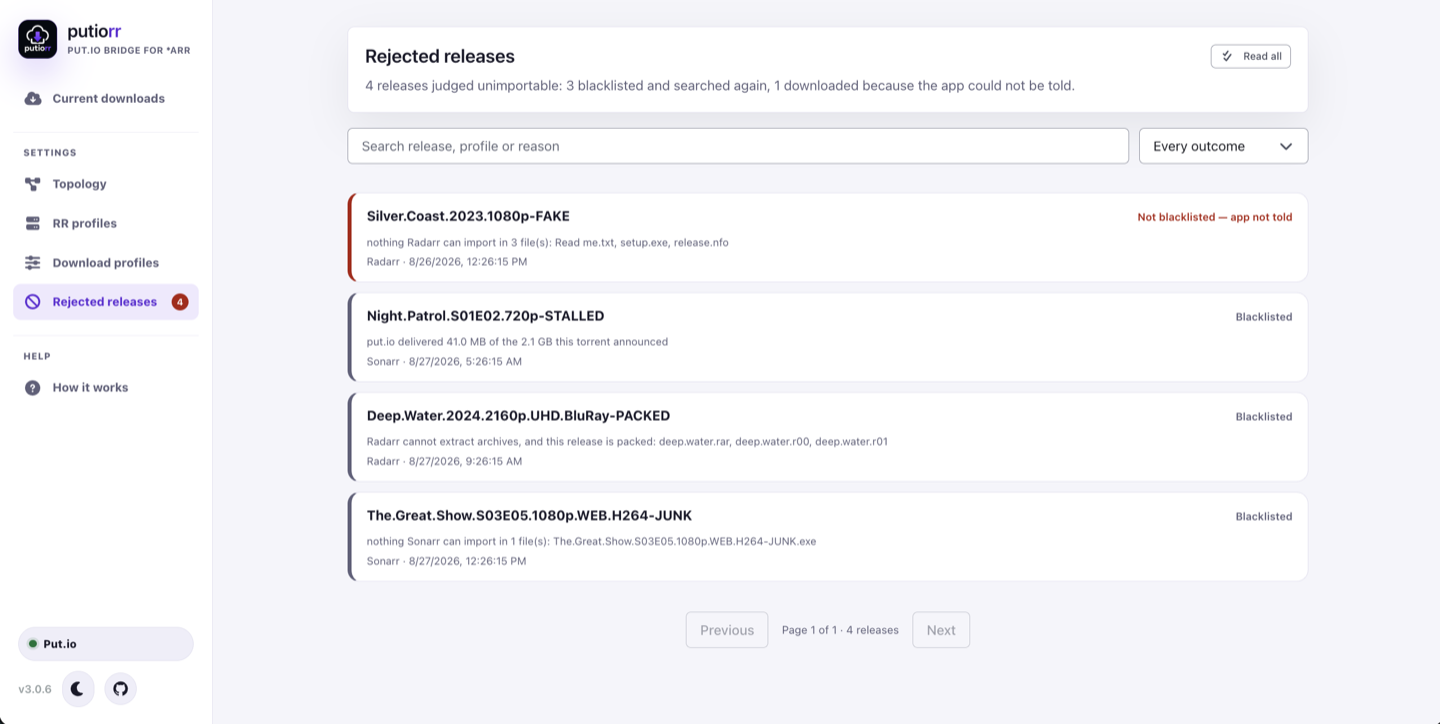
A folder of .exe and .txt, an audio-only release, or a lone PDF. What counts is decided per app, not by one shared list.
Neither Sonarr nor Radarr extracts a .rar from a torrent, so a packed release is the classic "no files eligible for import".
put.io finished but produced a fraction of the size the torrent announced. An optional minimum size catches the rest.
Off by default, and off after upgrading. It needs the app's URL and API key, because this lives only in the Sonarr and Radarr REST API (they call it the blocklist) — a download client cannot ask for it. putiorr runs the replacement search itself, so it works whether or not Redownload Failed is enabled.
Every rejection is kept on its own screen with the reason, the profile and the time, so a release thrown away wrongly can still be found. Leave the setting off if you run Unpackerr or another extractor, which makes packed releases importable after all.
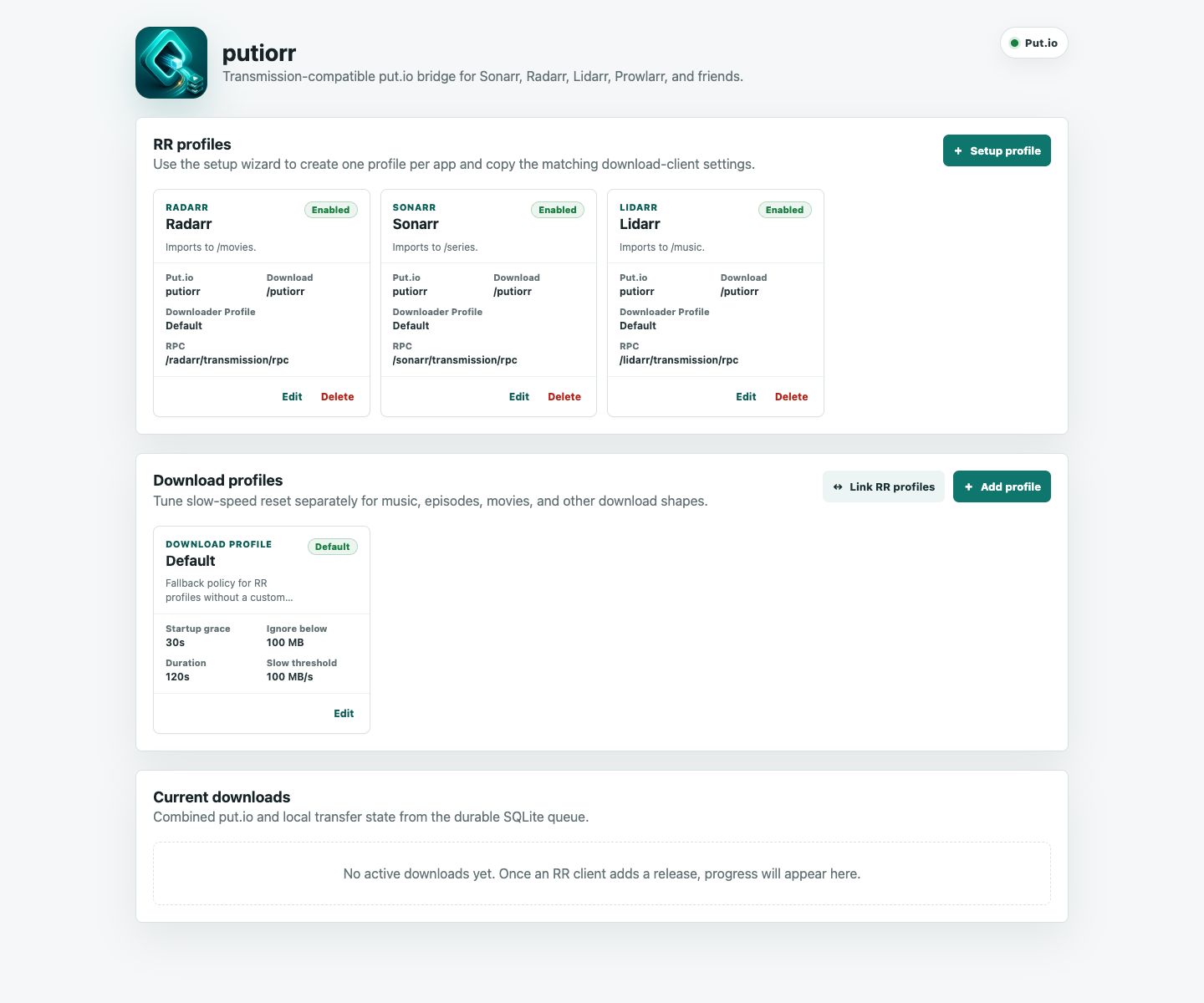
Current putiorr uses a topbar, clear profile cards, panel actions, and focused empty states.
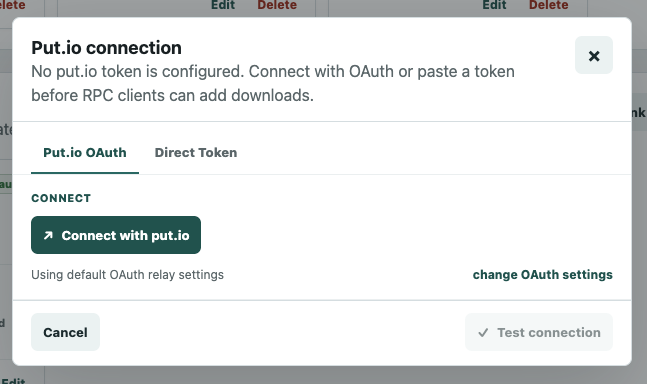
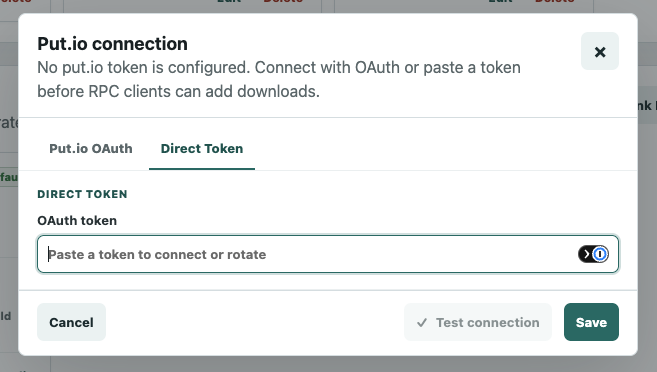
The Put.io connection dialog keeps the default OAuth relay path simple, while still allowing a direct token paste or rotation when that fits the install.
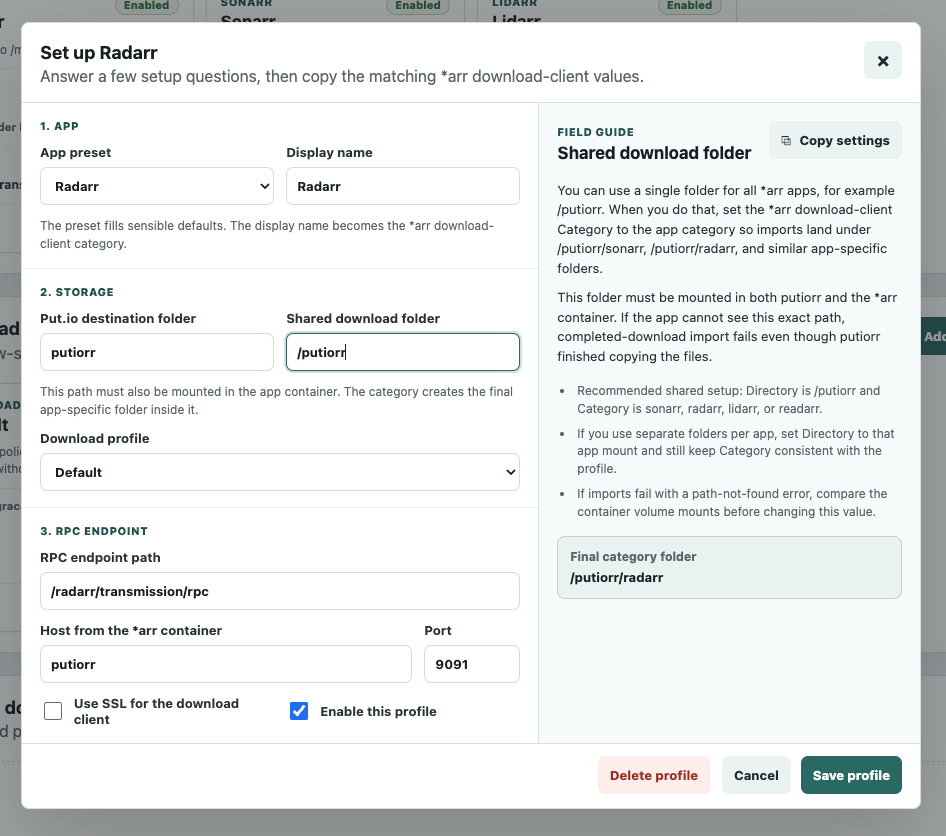
The setup wizard explains the field you are editing, keeps app-specific defaults aligned, and shows the final category folder before you save.
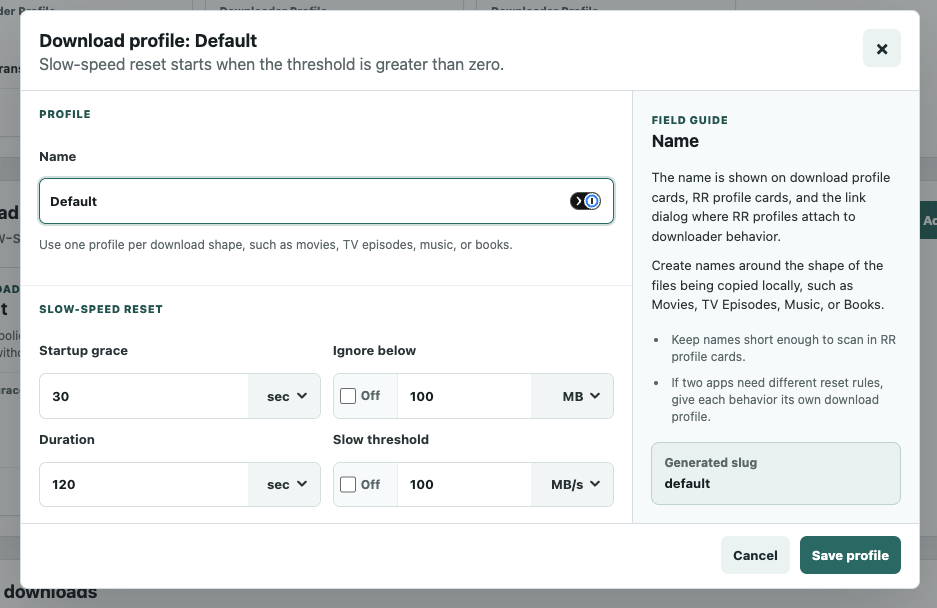
Download profiles let each media shape use the right slow-speed reset policy, keeping large copies patient and small imports responsive.
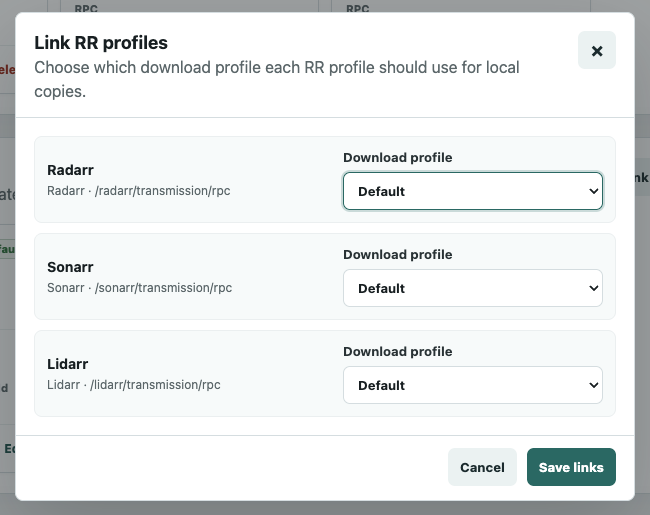
The link dialog keeps every app-to-policy mapping in one place, so each RR profile can use the local-copy behavior that matches its workload.
Sonarr sees putiorr as a Transmission download client. When both containers share a Docker Compose network, the Host can be the putiorr service name.
putiorr inside the compose network.9091 and Category sonarr match the Sonarr RR profile defaults.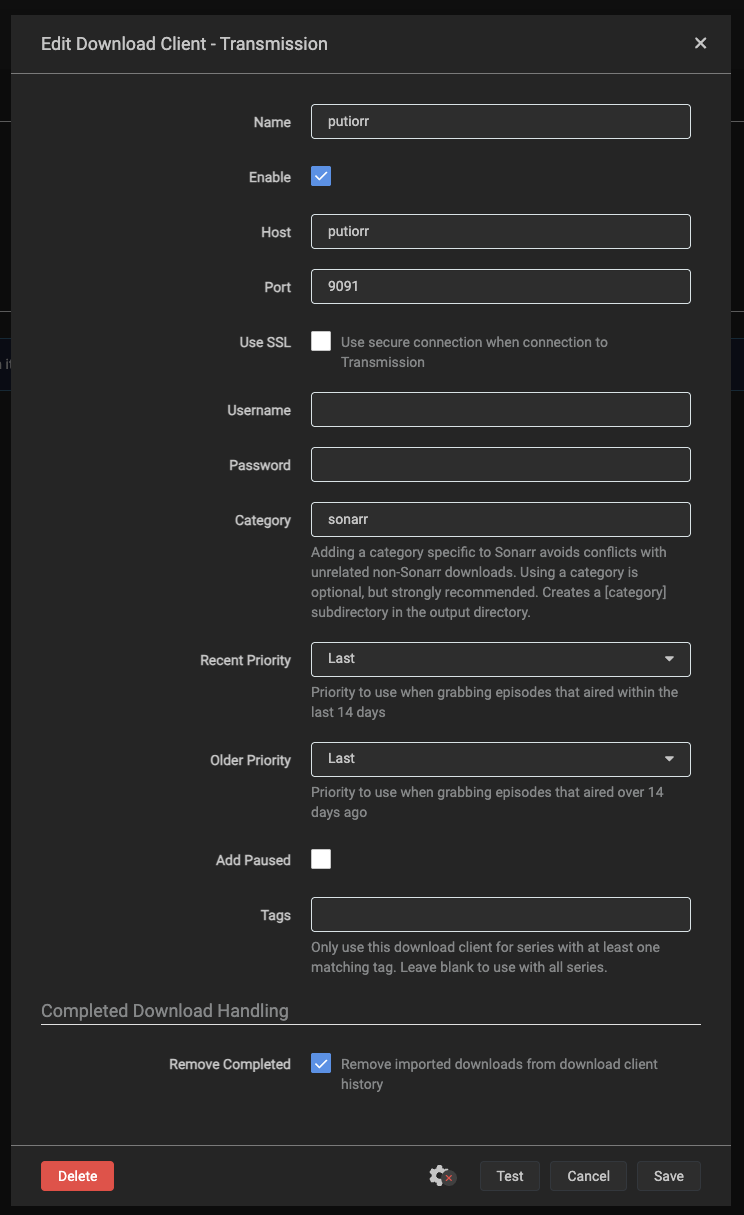
SQLite state keeps the bridge steady across restarts.
The static relay only returns the token to the user's putiorr instance.
The RPC path names the profile, or the app's own User-Agent does; the category only names the staging subfolder.
Mount the same host folder at the same container path everywhere.
Delete-local-data and remote cleanup are handled intentionally.
Partial files resume with range requests after restarts.
Sonarr and Radarr profiles can blacklist a junk release and search again before it is ever downloaded.
Run putiorr near your *arr stack, share one download target mount, and point each app at its matching Transmission URL base.
services:
  putiorr:
    image: ghcr.io/ptheofan/putiorr:latest
    restart: unless-stopped
    volumes:
      - /volume1/docker/putiorr-config:/data/putiorr-config
- /volume/downloads:/downloads/downloads.
The grab extension captures the magnet links and .torrent
downloads you click on any site, and putiorr queues them on put.io and
copies them down locally. Which site routes to which profile is
configured in putiorr, not in the extension.
The hosted relay page is still the dedicated browser handoff for put.io OAuth flows.